For construction teams
Construction drawing markup for the field and the office.
Open the set on a tablet or phone, verify a dimension against the plan, flag conflicts with clouds and photos, and get the question to the right person before it becomes rework.
10-day free trial · No credit card required · Pro is $12 per user/month
The problem
Where field coordination breaks down
A lighter app in the field
Field apps that do less than the office version turn a quick check into a call back to someone at a desk.
Questions without context
"Which detail?" A photo and a text message rarely point at the exact spot on the exact sheet.
Measurements off a PDF
Scaling a dimension from an uncalibrated sheet is how small errors become expensive ones.
With Vellum
How Vellum helps field teams
The same tools on site
Tablets and phones run the same browser workspace as the office. Annotate with Apple Pencil on iPad, with a compact style bar for quick edits by touch.
Link to the exact spot
The page, zoom, and center are saved in the URL, so a shared link opens precisely where you were looking.
Measure before you build
Calibrate the sheet, then measure lengths and areas that snap to the drawing's linework instead of your fingertip.
Flag it clearly
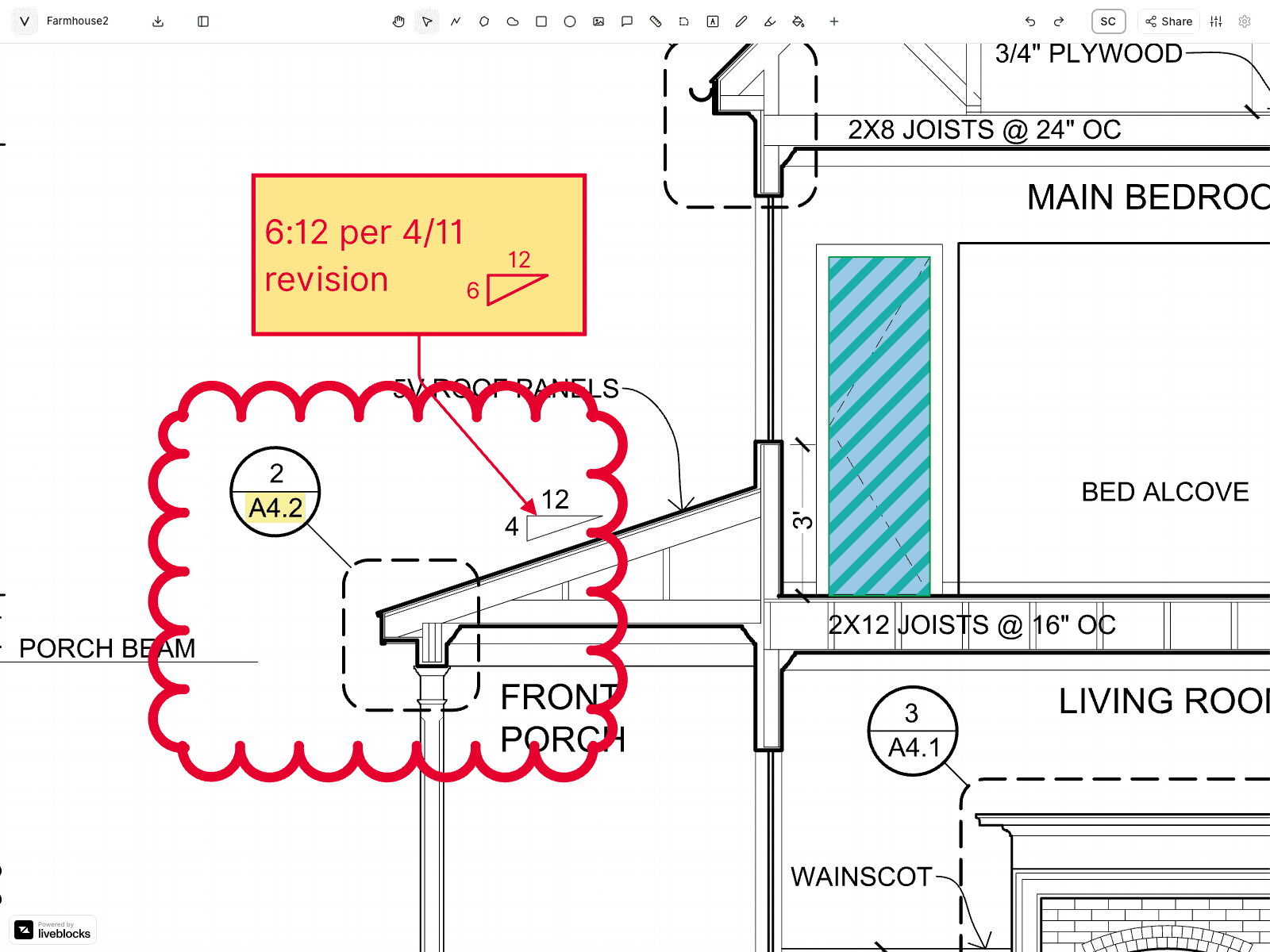
Clouds, callouts, highlights, and a site photo placed right beside the note, pinned to the drawing for everyone.
Readable in any light
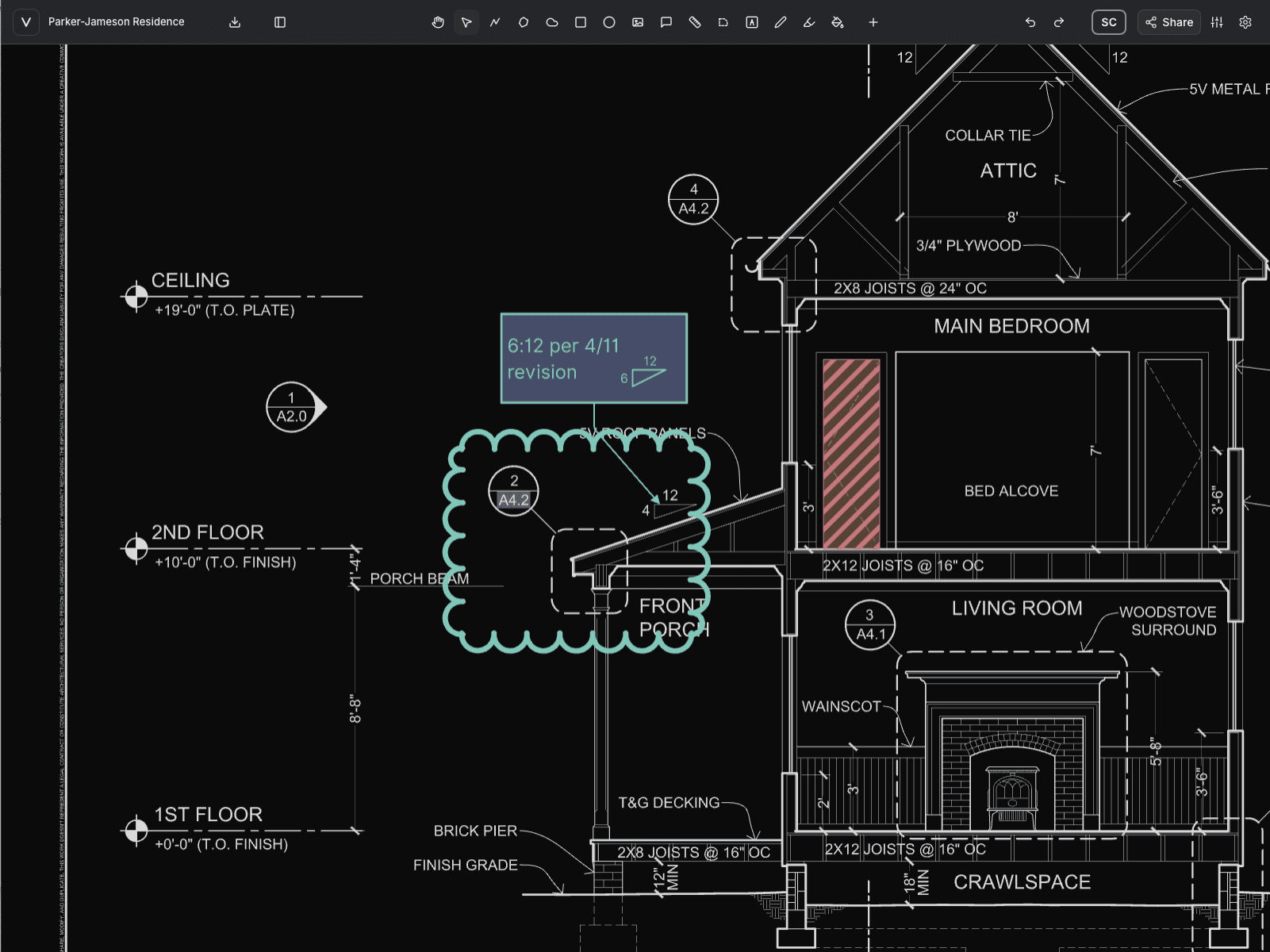
Document night mode renders the sheet on a dark field for low light, without changing the drawing or its exports.
Draft RFIs and punch lists
With your own Claude connected, draft RFIs, punch lists, and review summaries from the drawing. The assistant is in beta.
Use Vellum for
- Field verification
- RFI markups
- Punch lists
- Coordination meetings
- Submittal and shop drawing review
- As-built redlines
FAQ
Questions, answered.
- Does Vellum work on an iPad or phone in the field?
- Yes. Vellum runs in the browser on tablets and phones, with the same drawings and markups as the office. Apple Pencil works for annotation on iPad, and a compact style bar keeps common edits one tap away on touch screens.
- Can I send someone a link to a specific spot on a drawing?
- Yes. The current page, zoom, and center are encoded in the editor URL, so a collaborator with access opens exactly the view you shared.
- Can Vellum do quantity takeoffs?
- Vellum measures lengths and areas to a calibrated scale. With your own Claude connected, the assistant can count symbols and build takeoff quantities you can export as CSV. For heavy, dedicated estimating, a specialized takeoff tool may still be the better fit.
- Can the assistant help write RFIs?
- Yes, in beta. With your own Claude account connected through Vellum's MCP connector, the assistant can read the sheet and draft RFIs, punch lists, and review summaries. You review and send them.
See it on your own drawings.
Open a sheet in the browser, snap to the linework, and export it back out. No install, nothing to configure.
10-day free trial · No credit card required · Pro is $12 per user/month