For plan reviewers
Plan review that's consistent, measurable, and easy to defend.
Measure against code to a calibrated scale, place standard comments from your library, and hand applicants a clean record of every review cycle. For building departments, utilities, and third-party reviewers.
10-day free trial · No credit card required · Pro is $12 per user/month
Vellum is the markup and measurement workspace for the PDFs in your review queue. It works alongside your permitting system, not instead of it.
The problem
Where plan review gets hard
The same comments, retyped
Standard code comments get typed out again on every set, and the wording drifts from one review to the next.
Measurements applicants dispute
A setback or clearance flagged from an uncalibrated PDF invites a round of back-and-forth nobody needs.
Big sets, many cycles
Finding the one sheet that changed in a large resubmittal takes longer than reviewing it.
With Vellum
How Vellum helps reviewers
Standard comments in one move
Save your note blocks, stamps, and callouts to your Library once, then place them on one sheet or across a range of sheets at the same spot.
Measure to a verified scale
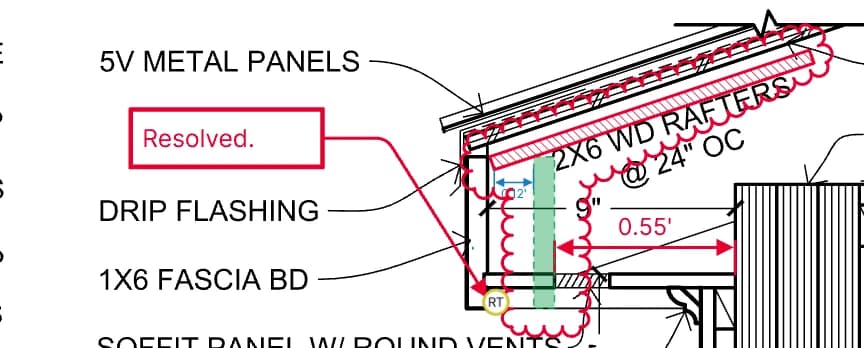
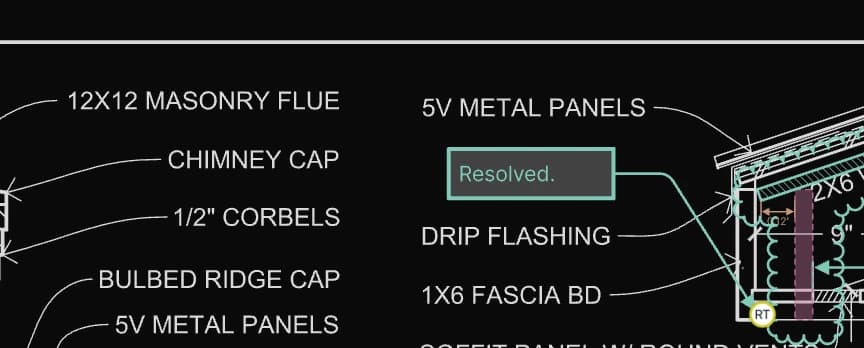
Set the scale, confirm it against a known dimension, and measure lengths and areas that snap to the drawing's own linework.
Dimensions that explain themselves
Write your own label around a live measurement, like REQ'D SETBACK: 25'-0", and it stays correct if the geometry or scale changes.
Find it fast
Search the PDF's text, see the whole set in grid view, and keep a plan beside the detail it references in split screen.
Compare resubmittals
With your own Claude connected, compare two sheets and cloud what changed between revisions. The assistant is in beta.
A clean record
Export a flattened PDF for the file, or an editable PDF so applicants' tools can read each markup as an annotation.
Use Vellum for
- Building permit review
- Zoning and setback checks
- Site and utility review
- Third-party review
- Resubmittal backchecks
- Review summaries (with your Claude, beta)
FAQ
Questions, answered.
- Can Vellum compare a resubmittal against the previous set?
- Yes. With your own Claude account connected, the assistant can compare two sheets and cloud what changed between revisions. The assistant is in beta. Split screen also keeps two sheets of a document side by side, each at its own page and zoom.
- Can reviewers sign and stamp sheets?
- Reviewers can place vector signatures from the Signatures pane and saved stamps from their Library. Library stamps can be placed at the same spot across a range of sheets. These are visual signatures and stamps, not cryptographic digital signatures.
- Will applicants be able to read our comments?
- Yes. Vellum exports standard PDFs that open in Bluebeam, Acrobat, and other common viewers. Choose editable export to keep markups as PDF annotations, or flatten them into the page.
- Does Vellum replace our permitting system?
- No. Vellum is the drawing review workspace, not a permit tracking system. Reviewers mark up and export PDFs that fit into the permitting workflow you already run.
- How do we keep records of each review cycle?
- Export a flattened PDF of each cycle for your records system. Vellum keeps your content for the life of your subscription and for 30 days after it ends so you can retrieve it, so it isn't a long-term records archive.
See it on your own drawings.
Open a sheet in the browser, snap to the linework, and export it back out. No install, nothing to configure.
10-day free trial · No credit card required · Pro is $12 per user/month